Are you Dorking?
BY OSINT BLOG
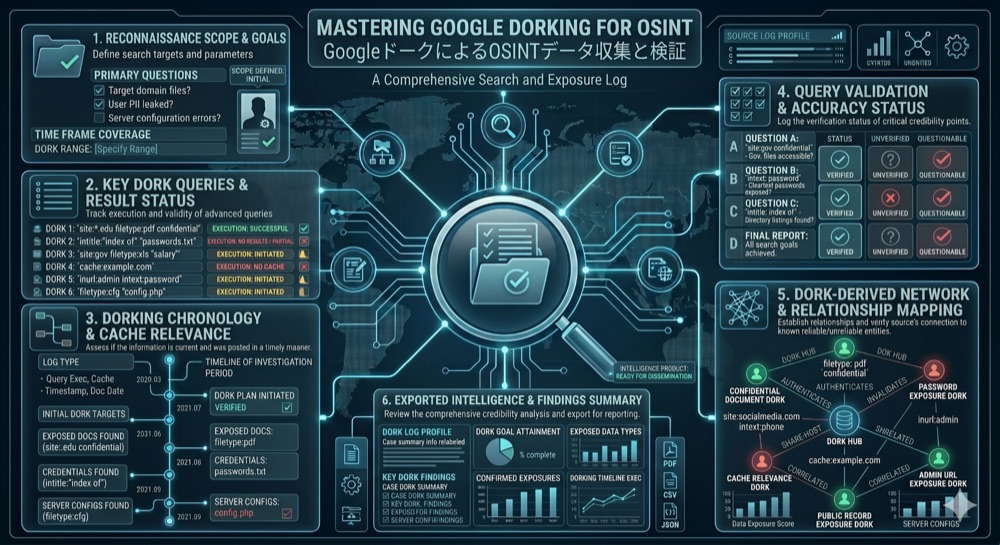
Introduction to Google Dorking
Google Dorking, also known as Google hacking or Google search operators, is one of the most powerful and underutilized tools in the OSINT arsenal. It involves using advanced search operators and techniques to find information that Google has indexed but that most people never discover through standard searches.
The term "dorking" comes from the idea that you're "dorking around" with Google's search operators to find hidden or obscure information. What makes Google Dorking so powerful is that it doesn't require hacking, breaking into systems, or accessing anything that isn't publicly available. Instead, it leverages Google's indexing of the public web to uncover information that organizations often didn't realize was publicly accessible.
For OSINT professionals, Google Dorking is essential. It can help you find exposed databases, leaked documents, vulnerable systems, sensitive information, and much more—all without breaking any laws or ethical guidelines.
What Is Google Dorking?
Google Dorking is the practice of using advanced search operators and specific search queries to find information that is technically public but not easily discoverable through normal search methods. When you search Google normally, you're relying on Google's algorithm to determine what's relevant. When you use Google Dorking, you're telling Google exactly what to look for using specific syntax.
Google indexes billions of web pages, including: - Publicly accessible files and documents - Web server directory listings - Configuration files - Database backups - Cached versions of pages - Metadata and file information - Error messages and system information
Most of this information is publicly accessible—it's not hidden behind passwords or firewalls. It's simply not easily discoverable through normal search methods. Google Dorking changes that.
Basic Google Dorking Operators
Let's start with the fundamental operators that form the foundation of Google Dorking:
**site: - Search Within a Specific Website**
The `site:` operator restricts your search to a specific website or domain.
Syntax: `site:example.com search_term`
Examples: - `site:linkedin.com "Chief Technology Officer" "Company Name"` - Find executives at a specific company - `site:github.com password` - Find instances where "password" appears on GitHub (often in code or documentation) - `site:pastebin.com "API key"` - Find exposed API keys on Pastebin
The `site:` operator is incredibly useful for: - Discovering what information a company has publicly exposed - Finding all pages on a website that mention a specific topic - Locating specific file types on a website - Finding cached or archived versions of pages
**filetype: - Search for Specific File Types**
The `filetype:` operator restricts your search to specific file types.
Syntax: `filetype:pdf search_term`
Examples: - `filetype:pdf "confidential" site:company.com` - Find PDF files marked confidential on a company's website - `filetype:xls password` - Find Excel spreadsheets containing the word "password" - `filetype:doc "internal memo"` - Find Word documents that might contain internal communications - `filetype:sql database` - Find SQL database files
Common file types to search for: - pdf, doc, docx, xls, xlsx - Documents - sql, db, mdb - Databases - conf, config, cfg - Configuration files - log - Log files - bak, backup - Backup files
**intitle: - Search in Page Titles**
The `intitle:` operator searches for terms that appear in the HTML title tag of a page.
Syntax: `intitle:"search term"`
Examples: - `intitle:"index of" "backup"` - Find directory listings containing backups - `intitle:"admin" intitle:"login"` - Find admin login pages - `intitle:"webcam" "live view"` - Find exposed webcams - `intitle:"router admin" password` - Find router administration pages
Page titles often contain important information about what a page contains, making this operator particularly useful for finding specific types of pages.
**inurl: - Search in URLs**
The `inurl:` operator searches for terms that appear in the URL of a page.
Syntax: `inurl:admin`
Examples: - `inurl:admin login` - Find admin login pages - `inurl:backup filetype:sql` - Find SQL backup files in URLs containing "backup" - `inurl:config.php` - Find configuration files - `inurl:upload` - Find upload directories
URLs often contain structural information about a website, making this operator useful for finding specific types of pages or directories.
**cache: - View Cached Versions of Pages**
The `cache:` operator shows Google's cached version of a page, which can be useful if the page has been updated or removed.
Syntax: `cache:example.com`
Examples: - `cache:company.com/about` - View a cached version of a company's about page - `cache:website.com` - See what the website looked like when Google last indexed it
Cached pages can reveal information that has been removed or updated, making them valuable for investigations.
Advanced Operators
Once you've mastered the basic operators, you can combine them and use more advanced techniques:
**related: - Find Related Websites**
The `related:` operator finds websites that are similar to a specified website.
Syntax: `related:example.com`
Examples: - `related:competitor.com` - Find similar companies - `related:news-site.com` - Find other news sites
**link: - Find Pages That Link to a Specific Page**
The `link:` operator finds pages that link to a specified URL.
Syntax: `link:example.com`
Examples: - `link:company.com` - Find all pages that link to a company's website - `link:research-paper.pdf` - Find pages that reference a specific paper
**define: - Get Definitions**
The `define:` operator provides definitions of terms.
Syntax: `define:OSINT`
While less useful for investigations, this can be helpful for understanding terminology.
**numrange: - Search for Numbers in a Range**
The `numrange:` operator searches for numbers within a specified range.
Syntax: `numrange:1000-2000`
Examples: - `numrange:2020-2024 "annual report"` - Find annual reports from specific years - `numrange:1000000-9999999 "credit card"` - Search for credit card numbers (though this is ethically problematic)
**Combining Operators**
The real power of Google Dorking comes from combining multiple operators:
- `site:company.com filetype:pdf "confidential"` - Find confidential PDFs on a company's website
- `intitle:"index of" site:company.com backup` - Find backup directories on a company's website
- `inurl:admin site:company.com password` - Find admin pages with password mentions
- `site:github.com "API_KEY" company_name` - Find exposed API keys for a specific company
Real-World OSINT Examples Using Google Dorking
Let's examine some practical examples of how Google Dorking is used in real OSINT investigations:
**Example 1: Finding Exposed Credentials**
Query: `site:pastebin.com "username" "password" "company.com"`
This query searches Pastebin (a site where people paste text) for instances where someone has posted credentials for a specific company. This is valuable for: - Identifying compromised accounts - Understanding what information has been leaked - Assessing security incidents
**Example 2: Discovering Exposed Databases**
Query: `intitle:"index of" "database" filetype:sql`
This query finds directory listings that contain SQL database files. This indicates that a web server is misconfigured and exposing its database files publicly.
**Example 3: Finding Sensitive Documents**
Query: `site:company.com filetype:pdf "internal" OR "confidential" OR "restricted"`
This query finds PDF documents on a company's website that are marked as internal, confidential, or restricted. These documents may have been accidentally exposed.
**Example 4: Locating Vulnerable Systems**
Query: `intitle:"admin" intitle:"login" site:company.com`
This query finds admin login pages on a company's website. While not necessarily vulnerable, these pages are often targets for attacks.
**Example 5: Researching Competitors**
Query: `site:linkedin.com "Company A" "Company B" "employee"`
This query finds LinkedIn profiles of people who have worked at both Company A and Company B, which can reveal connections between companies.
Common Mistakes and How to Avoid Them
**Mistake 1: Using Too Many Operators**
While combining operators is powerful, using too many can result in no results. Start simple and add operators gradually.
**Mistake 2: Not Using Quotes**
Without quotes, Google searches for pages containing all the words, but not necessarily together. Use quotes for exact phrases: `"exact phrase"`
**Mistake 3: Forgetting Boolean Operators**
You can use OR and AND to combine searches: - `"password" OR "api key"` - Find pages with either term - `"admin" AND "login"` - Find pages with both terms
**Mistake 4: Not Checking Multiple Pages**
Google returns results in order of relevance, but relevant results may appear on later pages. Check multiple pages of results.
**Mistake 5: Ignoring Negative Searches**
Use the minus sign to exclude terms: `site:company.com -"public"` finds pages on a company's site that don't contain "public."
Ethical Considerations and Legal Implications
While Google Dorking itself is legal and ethical, it's important to understand the implications:
**Legal Status**
Google Dorking is legal. You're not hacking, breaking into systems, or accessing anything that isn't publicly available. You're simply using Google's search operators to find publicly accessible information.
However, what you do with the information you find may have legal implications: - Accessing information you're not authorized to access may violate computer fraud laws - Using information for illegal purposes (fraud, identity theft, etc.) is illegal - Disclosing sensitive information without authorization may violate privacy laws or contracts
**Ethical Considerations**
Even though Google Dorking is legal, it raises ethical questions: - Should you report exposed information to the organization? - Should you use information you find for your investigation, or should you seek authorization first? - How do you balance the need for information with respect for privacy?
Best practices: - Use Google Dorking for legitimate purposes (investigations, security research, competitive intelligence) - If you find exposed sensitive information, consider reporting it to the organization - Respect privacy and don't use information for harassment or illegal purposes - Follow the laws and regulations in your jurisdiction
Tools to Assist with Google Dorking
While Google Dorking can be done manually, several tools can help:
**Google Dorking Tools** - Google Advanced Search (google.com/advanced_search) - GUI for building complex queries - Shodan (shodan.io) - Search engine for internet-connected devices - Censys (censys.io) - Search engine for internet hosts and certificates - Zoomeye (zoomeye.org) - Chinese search engine for internet devices
**Query Builders** - Google Dorking Cheat Sheet - Reference guides for operators - Dorking Query Generator - Tools that help build complex queries
**Automation Tools** - Python scripts using Google API - Bash scripts for automated searching - Tools like Metagoofil for automated document discovery
Practical Case Studies
**Case Study 1: Discovering Exposed Configuration Files**
A security researcher used the query `intitle:"index of" site:company.com config` and discovered that a company had accidentally exposed its configuration files in a publicly accessible directory. The files contained database credentials, API keys, and other sensitive information. The researcher reported the exposure, and the company secured the directory.
**Case Study 2: Finding Leaked Internal Documents**
An investigator used the query `site:pastebin.com company_name "internal memo"` and found that an employee had accidentally pasted an internal memo containing strategic information to Pastebin. The memo revealed upcoming product launches and business strategies.
**Case Study 3: Locating Vulnerable Systems**
A penetration tester used the query `intitle:"admin" intitle:"login" inurl:admin site:company.com` and found multiple admin login pages. Several of these pages were running outdated software with known vulnerabilities.
Conclusion
Google Dorking is a powerful OSINT technique that allows you to find publicly available information that most people never discover. By mastering basic operators like `site:`, `filetype:`, `intitle:`, and `inurl:`, and learning to combine them effectively, you can uncover exposed documents, vulnerable systems, leaked credentials, and much more.
However, with great power comes great responsibility. Use Google Dorking ethically and legally, respect privacy, and consider the implications of the information you find. When you discover exposed sensitive information, consider reporting it to the organization rather than exploiting it.
Google Dorking is not a substitute for proper security practices, but it's an essential tool for OSINT professionals, security researchers, and investigators who need to find publicly available information quickly and efficiently.