Researching an Email Address Responsibly
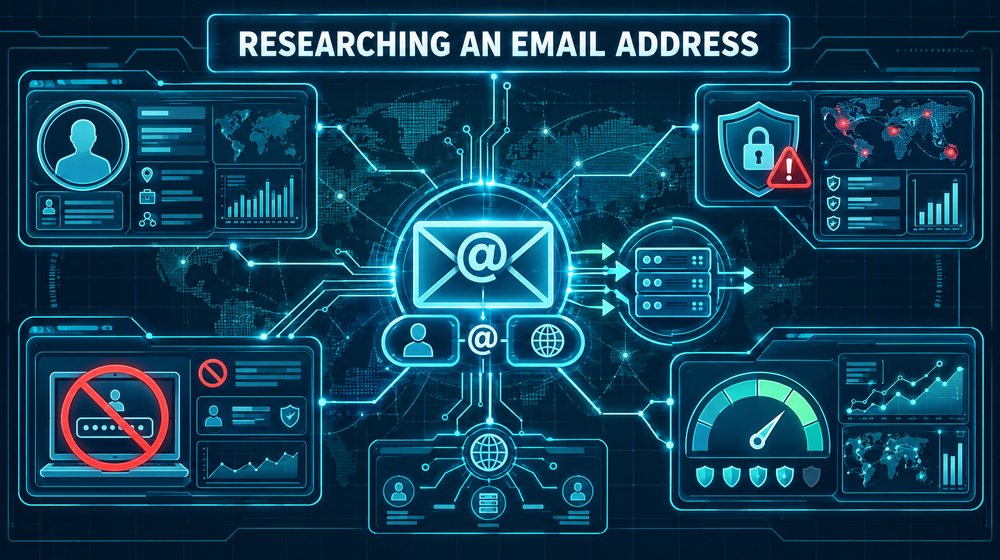
An email address looks like a small piece of data, but it often anchors an entire investigation. Clients hand you one in a fraud complaint, a due-diligence request or a suspicious message, and they expect you to tell them who is behind it. Sometimes you can. More often you can tell them something narrower and more honest: what the address shows, what it suggests, and what it cannot support.
This guide walks through how to research an email address in a way that is lawful, proportionate and defensible. It covers what the address itself reveals, how to read the domain behind it, which public signals are fair to use, why some popular techniques are off-limits, and how to write up your confidence so nobody mistakes a lead for a finding.
Start with authorization and purpose
Before you type the address into anything, write down why you are researching it and on whose behalf. An email address is personal data in most privacy regimes when it relates to an identifiable person. That does not make research unlawful, but it does mean you need a legitimate purpose and you should collect only what that purpose requires.
A useful test: if the person behind the address later read your case notes, could you explain each step without embarrassment? Checking whether a vendor's domain is real passes that test easily. Building a profile of an ex-partner's new contacts does not, and you should decline that kind of work.
Also confirm whether your client already has information that changes the question. If the address came from an email they received, the full message headers are far more informative than the address alone. Ask for them early.
What the address itself can and cannot tell you
Split the address into its two parts: the local part (before the @) and the domain (after it). Each tells you different things.
The local part
The local part is chosen by the user or assigned by an organization. Patterns are informative but never conclusive.
- Name formats such as
j.smithorjane.smithoften reflect corporate naming conventions. They suggest an employee account, not a specific person, until you confirm it. - Role accounts such as
info,billingorsupportare usually shared mailboxes. Attributing one to an individual is a common error. - Handles with numbers sometimes encode a birth year or a favourite number. Treat that as a weak hint, never as a fact about age.
- Plus addressing, as in
[email protected], is supported by several large providers. The tag after the plus sign often shows where the user signed up, which can be useful context.
Provider quirks matter. Gmail, for example, ignores dots in the local part of consumer addresses, so [email protected] and [email protected] reach the same inbox. Do not treat those as two people. Other providers treat dots as significant, so do not generalize the rule.
The domain
The domain tells you who operates the mail service. A free consumer provider tells you almost nothing about identity. A custom domain is different: someone registered it, configured mail for it, and may have published a website on it. That trail is often where the useful work happens.
What the address cannot tell you on its own: who currently controls it, whether it is still active, whether the name in the local part is real, or whether the person who sent you a message actually owns it. Sender addresses are trivially spoofed, which is why headers and authentication results matter.
Domain and mail-record checks
DNS records are public by design, and querying them is ordinary, low-impact research. A few lookups with dig or nslookup, or any reputable web-based DNS viewer, will tell you a great deal.
MX records
The MX records list the servers that accept mail for the domain. Query them with dig MX example.com. The hostnames often reveal the provider: Microsoft 365, Google Workspace, a hosting company's shared mail, or a self-hosted server. A domain with no MX record (and no fallback A record) cannot normally receive mail, which matters if someone claims to correspond from it.
SPF, DKIM and DMARC
Look up the domain's TXT records for an SPF policy (it begins v=spf1) and query _dmarc.example.com for a DMARC policy. These show which services are authorized to send on the domain's behalf and what the owner wants receivers to do with failures. A missing or permissive DMARC policy makes spoofing easier, which lowers your confidence that a message really came from that domain. A strict policy, combined with a passing authentication result in the message headers, raises it.
Registration and hosting
Registration data (via RDAP or WHOIS) shows the registrar and the creation date, even when the registrant's details are redacted, as they usually are since GDPR. A domain created a week before the suspicious message is a meaningful signal. So is a domain that differs by one character from a well-known brand. Check the website, if any, and use an archive such as the Wayback Machine to see what it looked like over time.
Historical DNS and passive DNS services can show previous mail providers or IP addresses. Use them, but record which service you used and when, because their coverage varies and they can disagree.
Public account and profile signals
People reuse addresses, and some services expose limited public information tied to them. The line you must hold is simple: use information the service publishes to anyone, and do not interact with authentication systems to make them tell you something.
Search engines and exact-match queries
Search for the full address in quotation marks across several search engines. Addresses appear in forum signatures, public filings, conference papers, archived mailing lists, open data sets and old web pages. Each hit is a lead you can evaluate: what is the context, how old is it, and does it fit what you already know?
Gravatar and similar profile hashes
Gravatar links a public avatar and optional profile to an email address through a hash of the trimmed, lowercased address. Historically this was an MD5 hash; Gravatar now also supports SHA-256. Many blogs and developer tools display Gravatar images, so the same hash can tie comments across sites to one address. If the owner created a public Gravatar profile, it may show a display name, links and a photo they chose to publish.
This is public information the owner opted into, but use it with care. A hash match tells you the same address was used, not who controlled it at the time. And an avatar photo is not an identity document.
Why login and password-reset probing is off-limits
Some tools and tutorials suggest entering a target address into a service's sign-in or password-reset page to see whether an account exists, or automating that across many sites. Do not do this, and do not use tools that do it for you.
- It interacts with an authentication system for a purpose the operator did not intend and usually prohibits in its terms.
- Password-reset requests can send real notifications to the account holder, which may tip off a subject, alarm an innocent person, or interfere with an active case.
- Depending on the jurisdiction and method, it may raise questions under computer-misuse laws, and it will look poor in any report you might one day defend.
- The results are unreliable. Many services deliberately return the same message whether or not an account exists, precisely to prevent this kind of enumeration.
If your client needs to know whether a person holds an account with a particular platform, the lawful route is through the platform's legal process, usually via counsel or law enforcement.
Breach-notification services and leaked data
Have I Been Pwned, run by Troy Hunt, lets anyone check whether an address appears in known data breaches. The public search returns breach names and dates, not the leaked records themselves. Some breaches the service classes as sensitive are hidden from public search and shown only to the verified address owner through its notification service. Domain-wide searches require proving control of the domain. Programmatic searches of email addresses require a paid API key.
A breach listing can be useful context. If an address appears in a breach from a 2013 forum, it was probably in use by then. If it appears in many breaches, it is long-lived and widely used, which also means it is more likely to have been harvested by spammers and spoofed.
The ethics of leaked data
Leaked databases themselves are a different matter. Some investigators buy or download breach dumps, or use services that resell their contents, including passwords. Think hard before going there.
- Possessing or using stolen personal data may breach data-protection law in your jurisdiction, and the rules differ from country to country.
- The people in those dumps are mostly victims. Using their data rewards the theft and extends the harm.
- Evidence derived from stolen data may be challenged, excluded or simply damaging to your client's credibility.
- You should never use leaked credentials to access any account. That is unauthorized access, full stop.
Many firms set a written policy: breach-notification lookups that return metadata only are acceptable, and handling raw breach contents is not, unless counsel has approved a specific, documented purpose. That is a sound default.
A worked example
Suppose a small manufacturer receives an invoice from [email protected], asking it to pay a long-standing supplier at new bank details. The real supplier uses northfieldsupplies.com. Your client asks whether the email is genuine.
- Get the headers. You ask for the original message with full headers. The authentication results show SPF passing for
northfield-supplies.co, which only proves the sending server was authorized by that look-alike domain, not by the real supplier. - Check registration. RDAP shows the look-alike domain was created nine days before the invoice arrived, through a registrar the real supplier does not use. The registrant is redacted.
- Check DNS. The look-alike domain's MX points to a consumer-grade hosted mail service. The real supplier's MX points to its long-standing business provider, and it publishes a strict DMARC policy.
- Check the web. The look-alike has no website and no archive history. The real domain has an archived site going back years.
- Search the address. Exact-match searches find nothing for the look-alike address. Have I Been Pwned has no entries, which is expected for a nine-day-old address.
Your conclusion is not "we have identified the fraudster". It is: the message did not come from the supplier's domain; it came from a recently registered look-alike with no history, which is consistent with invoice fraud. You recommend the client confirm bank details with the supplier by phone using a number from their own records, and preserve the message for their bank and the police. That is a narrow finding, and it is exactly what the client needed.
Documenting confidence
Email research produces a lot of weak signals. Your report must make their weight clear. A simple approach is to state each claim, the evidence for it, and a confidence level in plain words.
- High confidence: multiple independent sources agree, or the evidence is technical and verifiable, such as DNS records captured with timestamps.
- Moderate confidence: consistent indicators from one or two sources, with plausible alternative explanations remaining.
- Low confidence: a single indicator, an inference from a pattern, or a source of unknown reliability.
Separate what you observed from what you infer. "The address appears in a 2016 breach of a gardening forum" is an observation. "The owner is interested in gardening" is an inference, and probably not one worth making. Record the date and time of every lookup, because DNS, profiles and search results change.
Limits and common mistakes
- Equating address with person. Addresses are shared, sold, abandoned, recycled and spoofed. Always ask who controlled this address at the relevant time.
- Trusting the From line. The visible sender is the least reliable part of a message. Read the authentication results.
- Over-reading absence. No search hits and no breaches do not mean an address is fake. Many careful people leave very little trace.
- Merging namesakes. A matching handle on another platform may belong to someone else entirely. Look for corroborating details before linking accounts.
- Forgetting the timeline. A domain's current owner or mail provider may differ from the one in place when the message was sent.
- Using intrusive tools for convenience. If a tool's results depend on probing logins, resets or private systems, do not use it, however tempting the output.
Checklist
- Record the purpose, the client and the lawful basis before starting.
- Ask for full message headers if the address came from a received email.
- Split the address into local part and domain; note provider-specific rules such as dot handling and plus tags.
- Query MX, SPF and DMARC records, and save the output with timestamps.
- Check domain registration dates, registrar and archived web history.
- Run exact-match searches on several search engines and evaluate each hit in context.
- Check public profile signals such as Gravatar, treating matches as leads.
- Use breach-notification metadata only; do not handle raw leaked records or credentials without counsel's documented approval.
- Never probe login or password-reset flows, manually or with tools.
- Write findings with observation, inference and confidence clearly separated.